 Portalby 1eleven Studio
Your Mac's full power. In your hands.
On iPad, iPhone and iPhone Duo, pixel-perfect technology fills the screen edge to edge, sharp and fast. Then Portal disappears, and it's just your Mac.
Portalby 1eleven StudioOn iPad, iPhone and iPhone Duo, pixel-perfect technology fills the screen edge to edge, sharp and fast. Then Portal disappears, and it's just your Mac.
Every remote desktop shows you a copy of your Mac. Portal gives you the Mac itself. On every screen you carry.
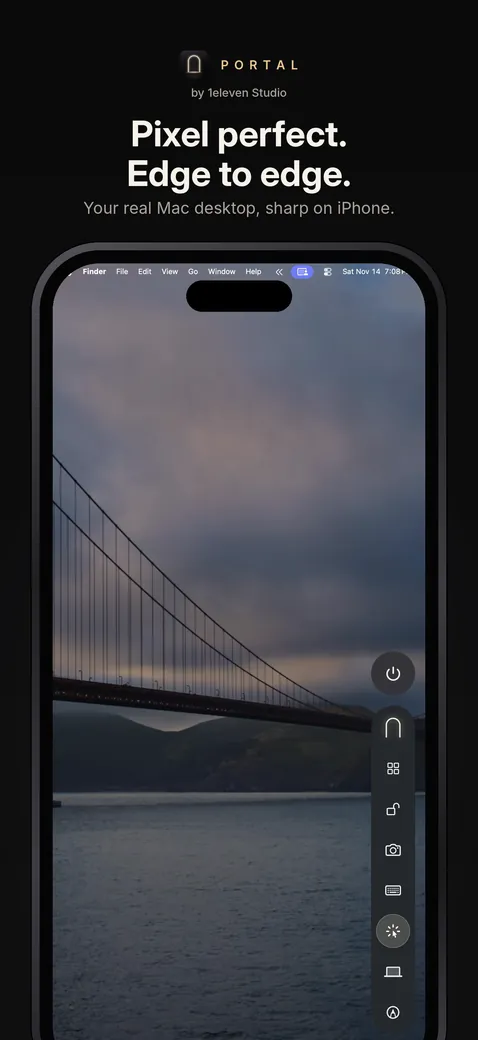
Other apps squeeze your Mac's screen into your iPad's, so text goes soft and black bars fill the gaps. Portal reshapes your Mac to your iPad's exact screen before it draws a thing, so one Mac pixel lands on one iPad pixel.
Drag across the iPad to step through.
No toolbars. No borders. No window around a window. Just your Mac, filling the screen, with one slim pill at the edge for when you need it.
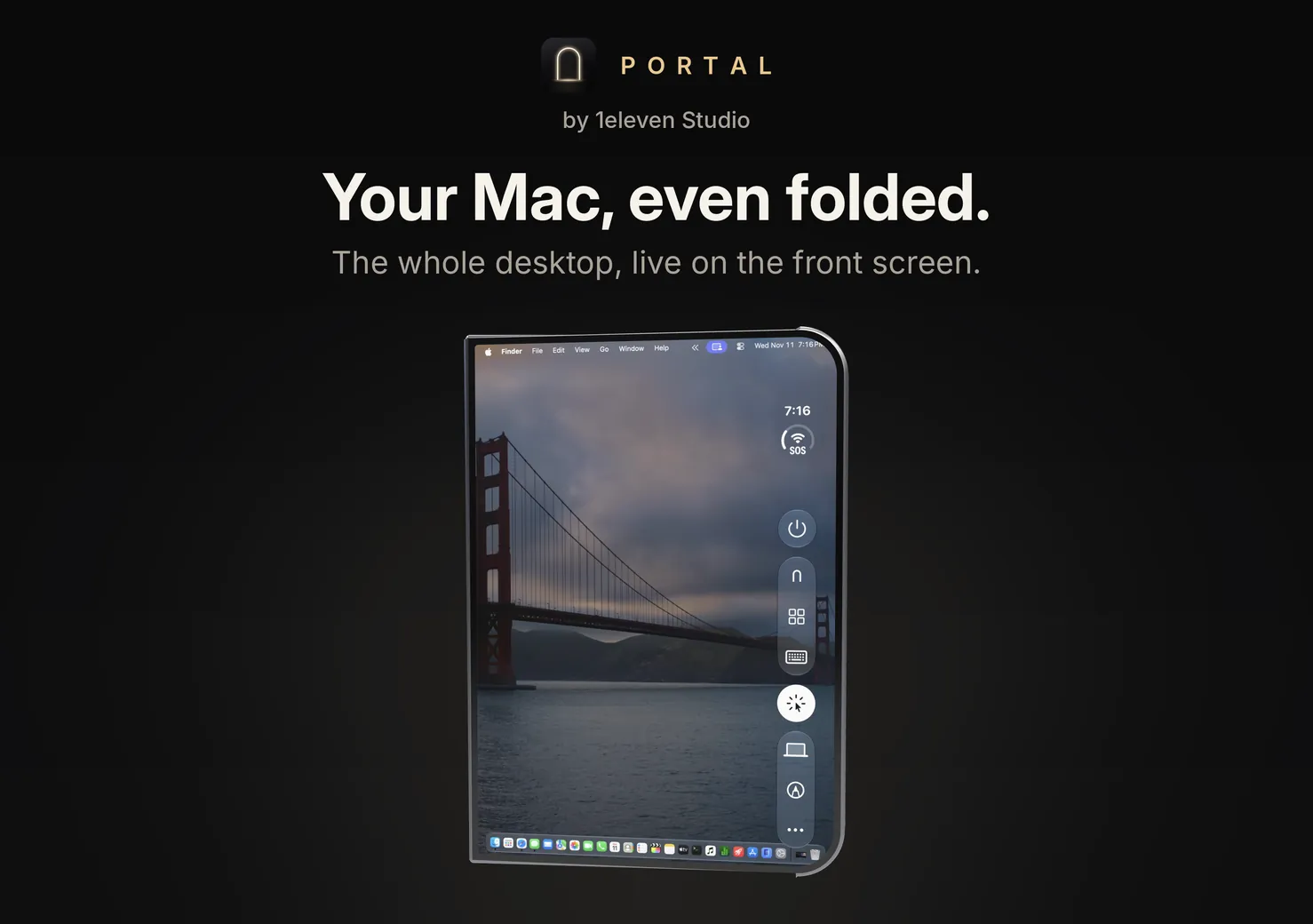
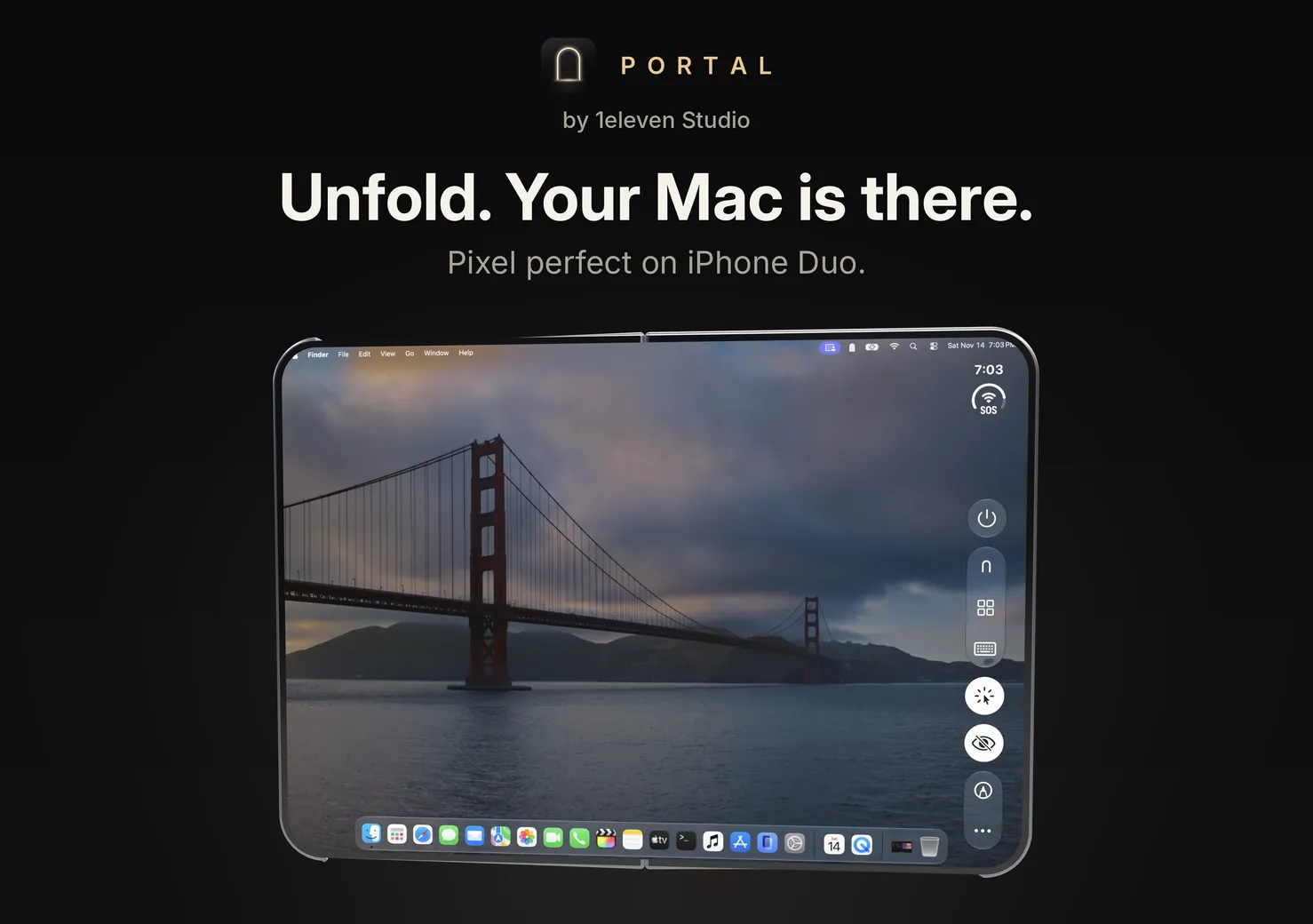
Closed, Portal is ready on the front screen with your latest Mac. Open it, and the front grows into the inside, exactly where it was. Fold or unfold in the middle of a session and your Mac reshapes itself in place, with no reconnect.
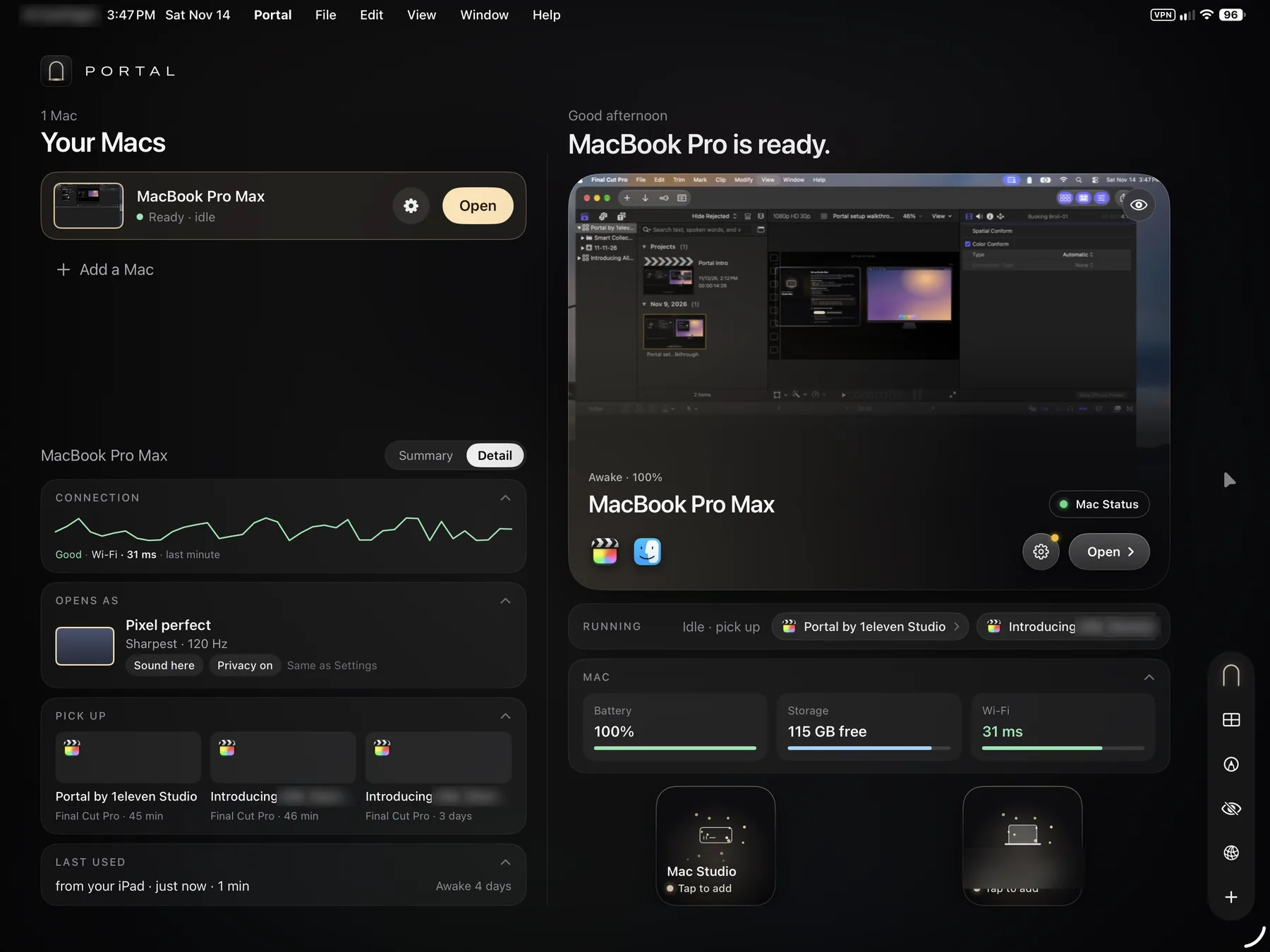
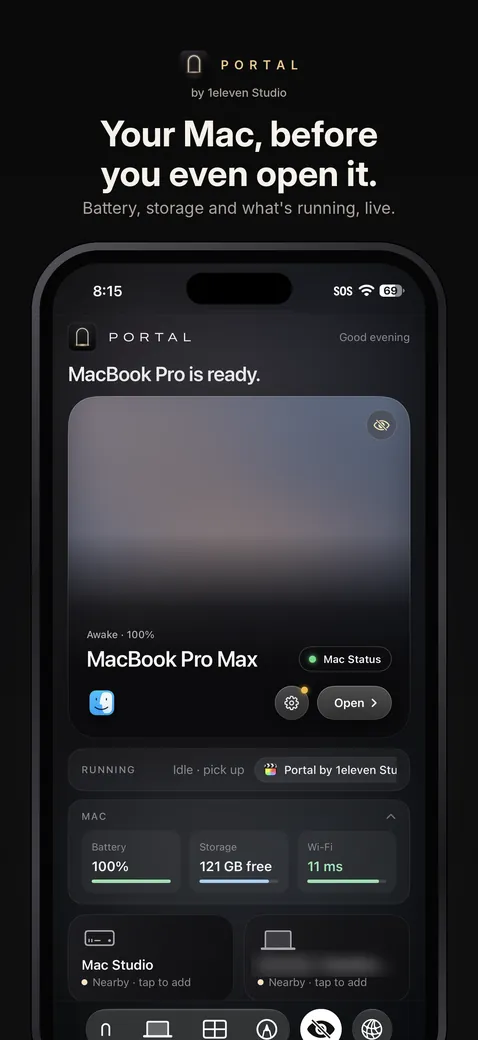
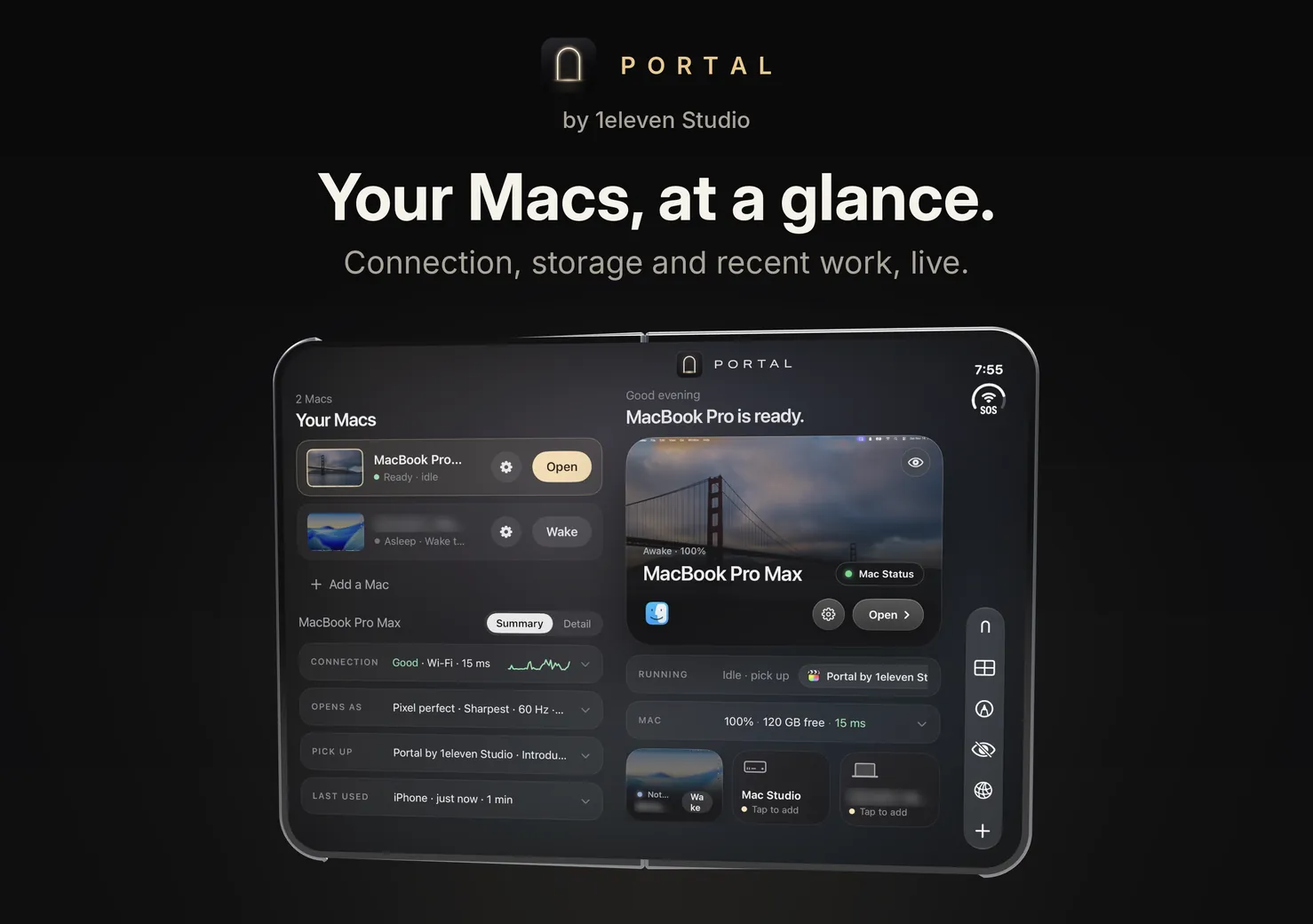
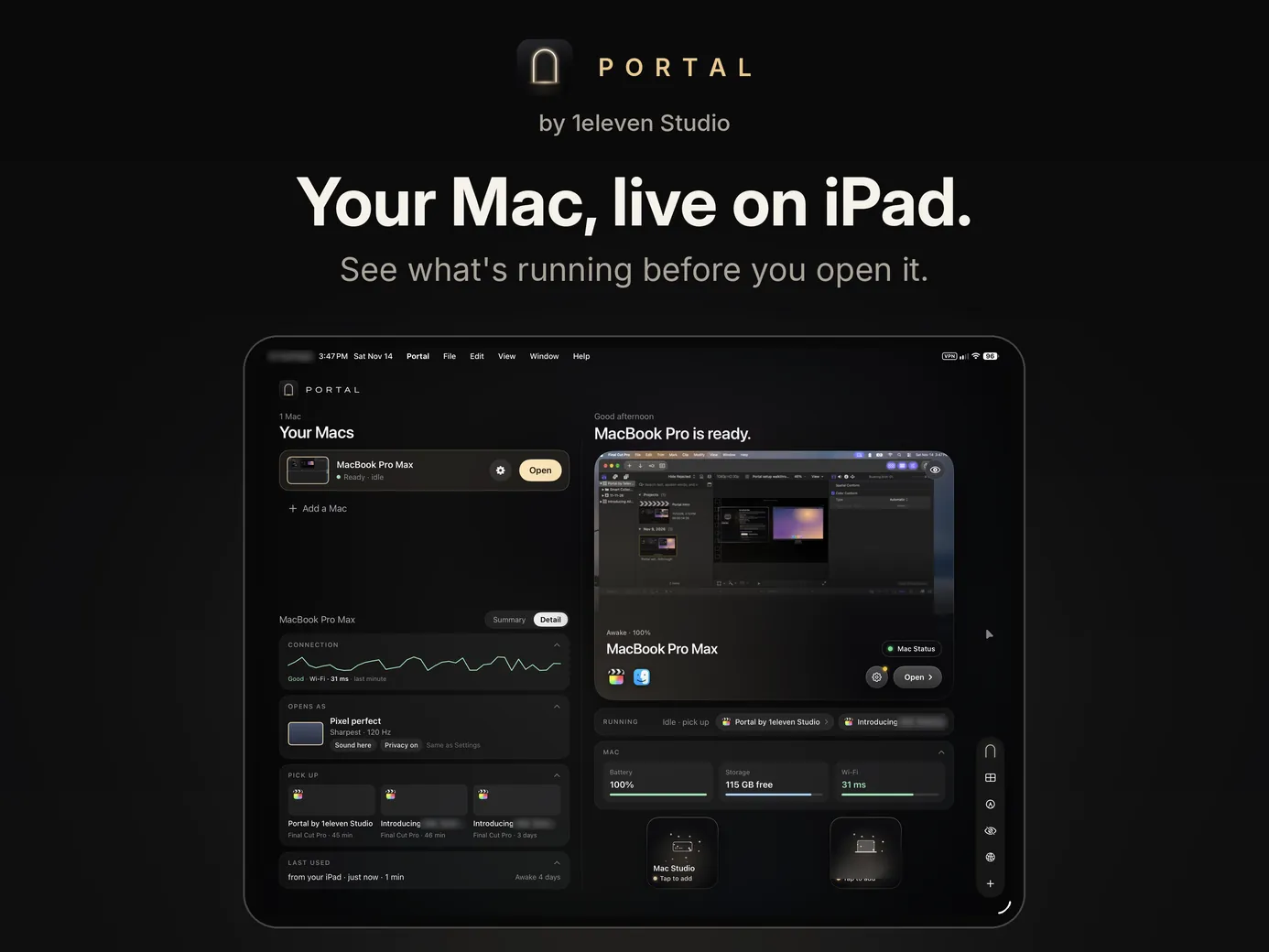
Portal waits on the front screen with your Macs, live: awake or asleep, battery and what's running.
Open it and the front grows into the inside. Your Macs, recent work and new Macs nearby fill the left.
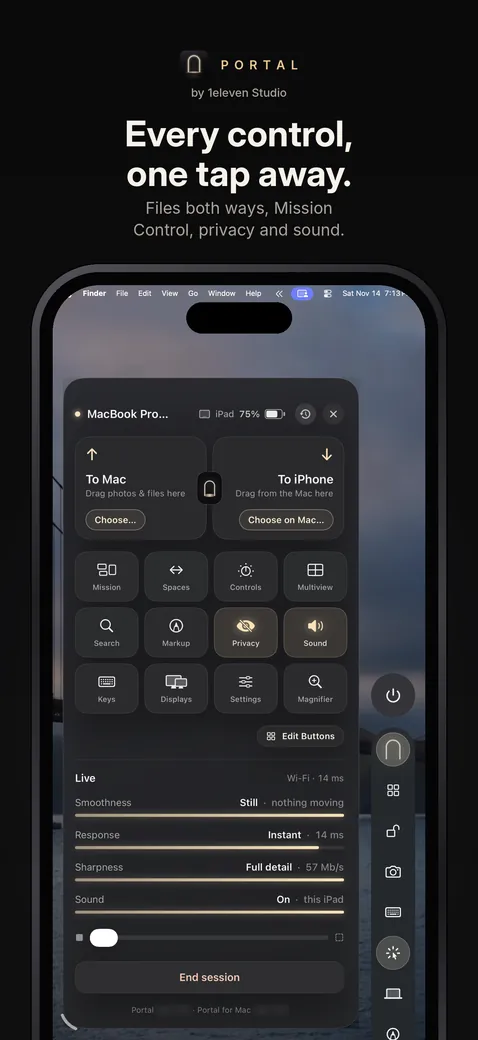
Tap Open and your Mac fills the whole inside, pixel-perfect. Your apps, Multiview, the keyboard and privacy are one tap away down the side.
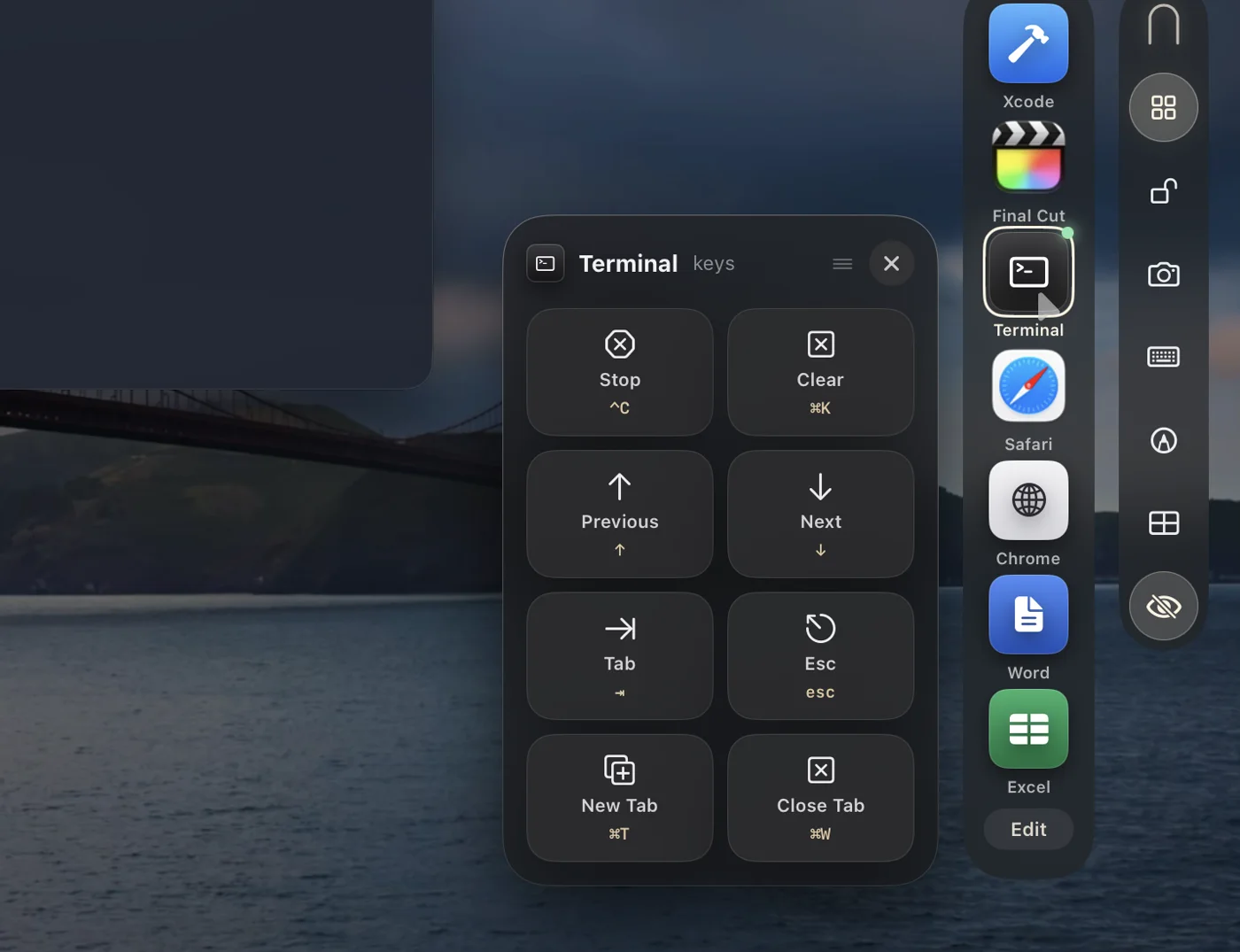
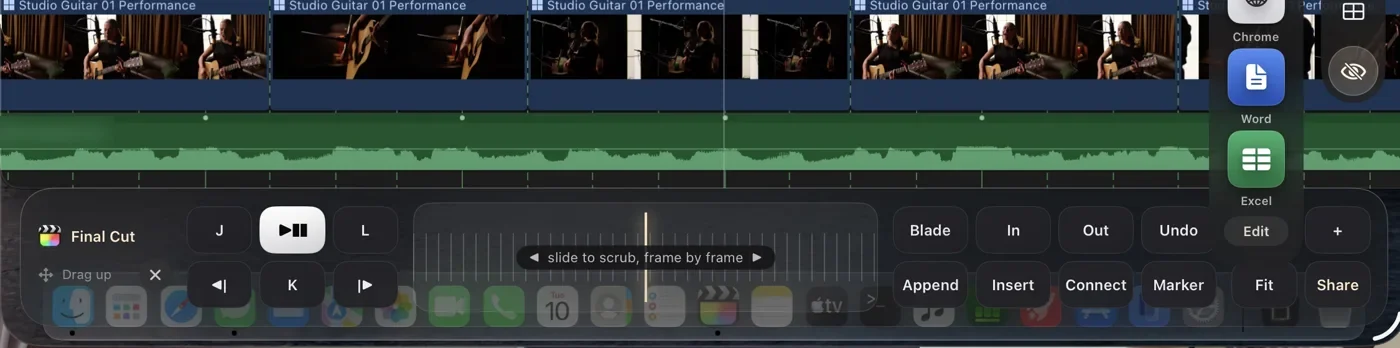
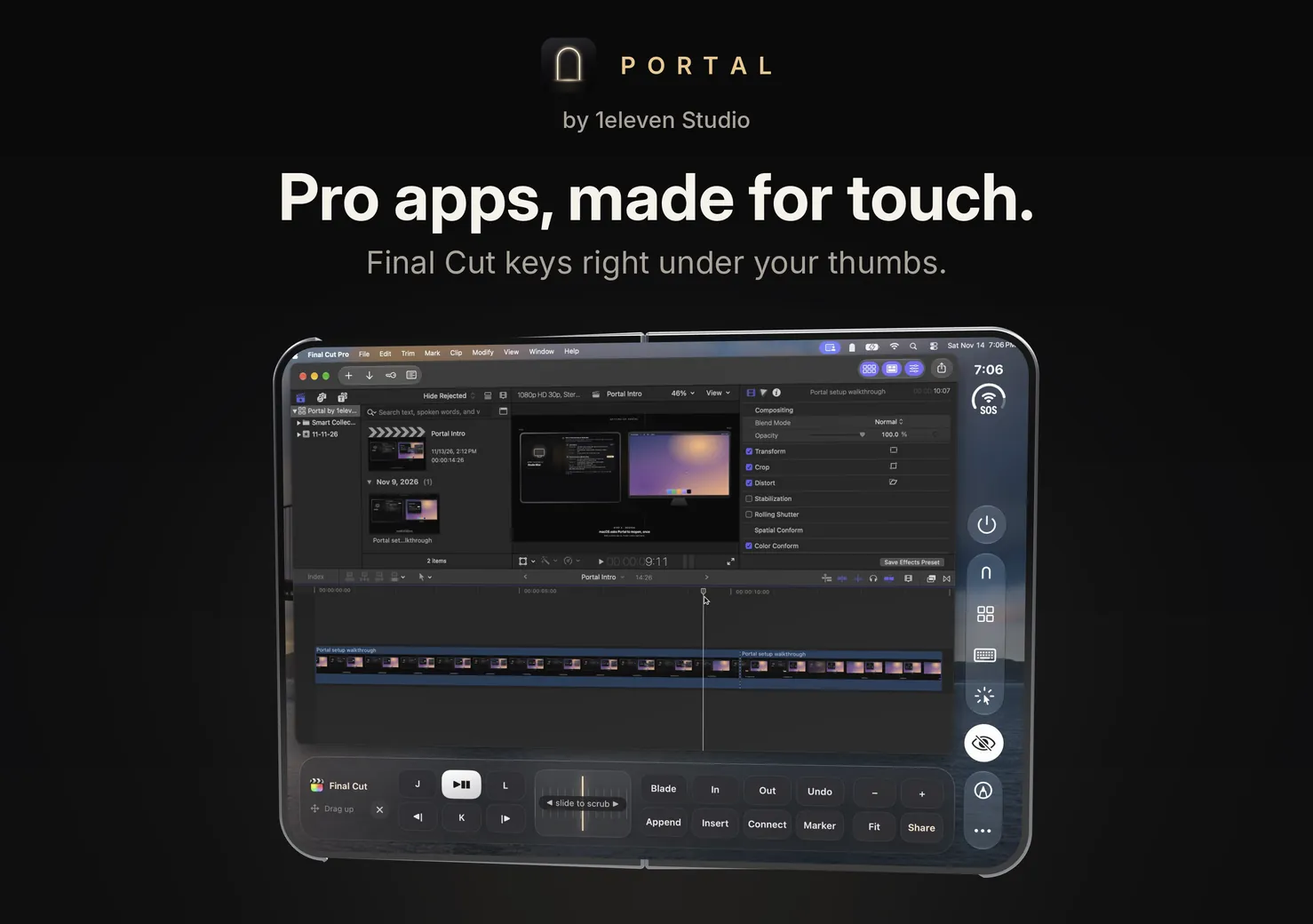
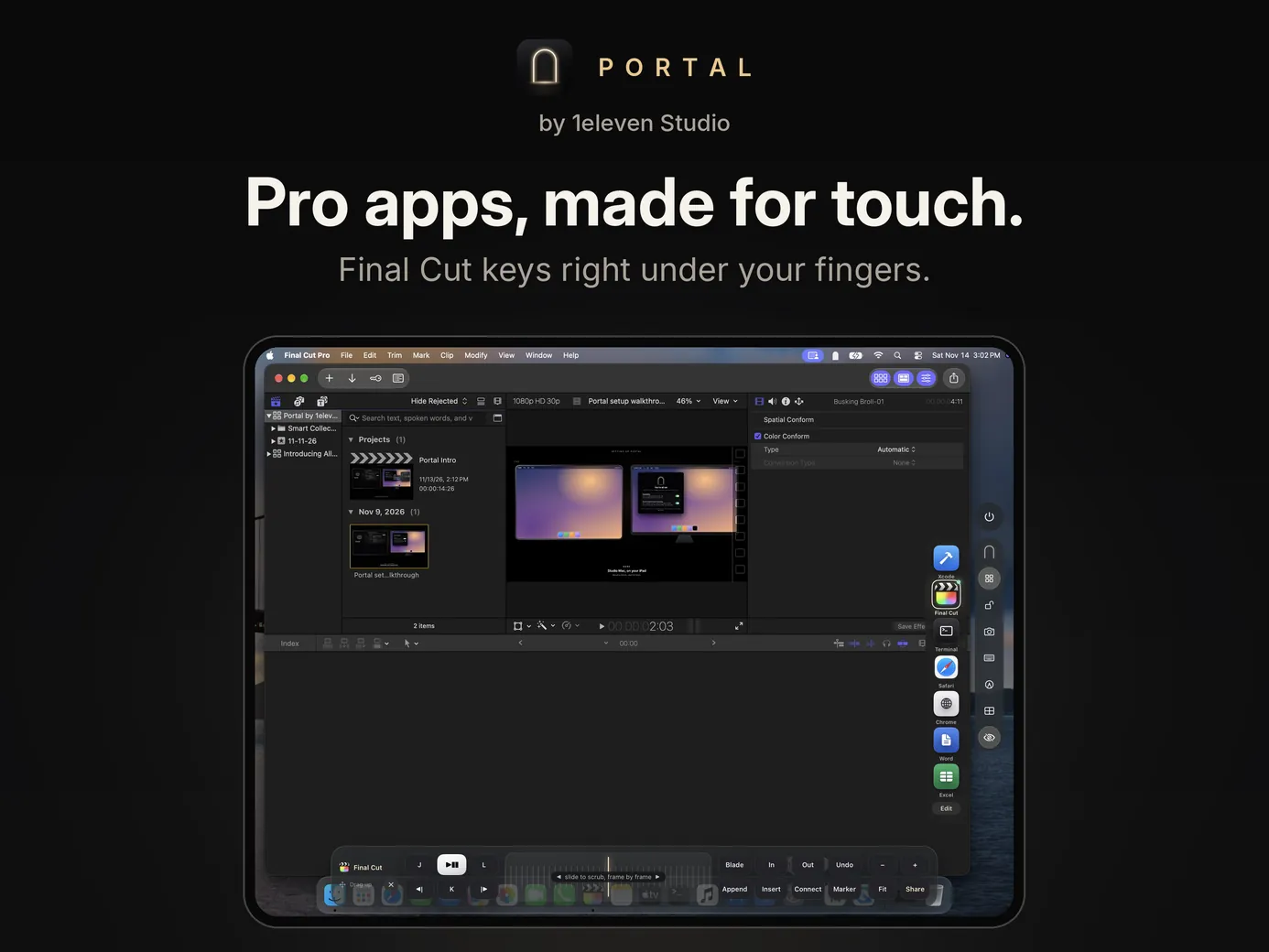
Your app's keys dock as a strip under your thumbs, like J, K, L, Blade and a scrub wheel in Final Cut.
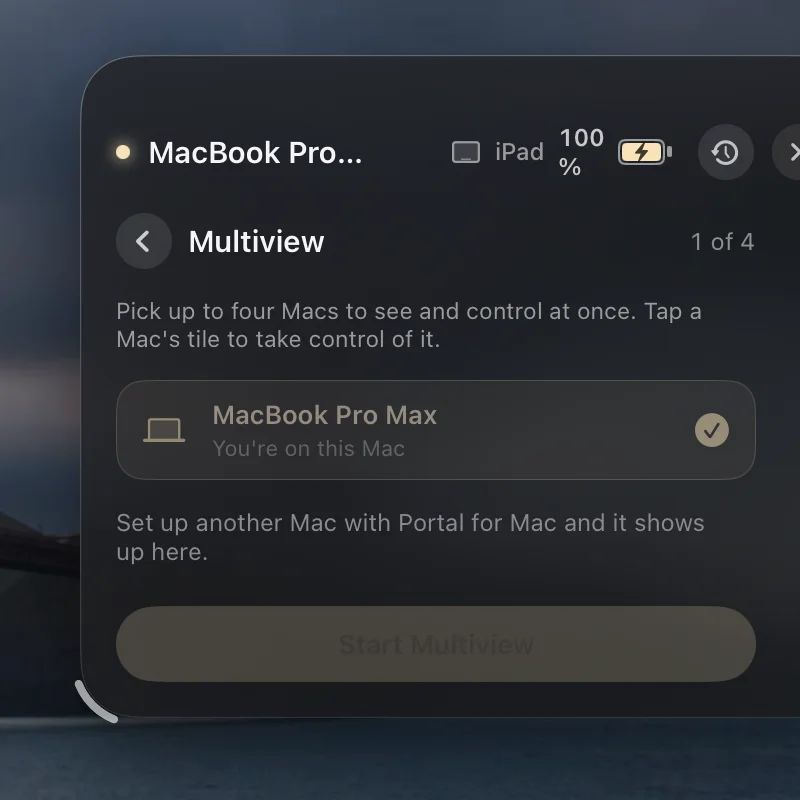
Four Macs live at once. Tap one to step in.
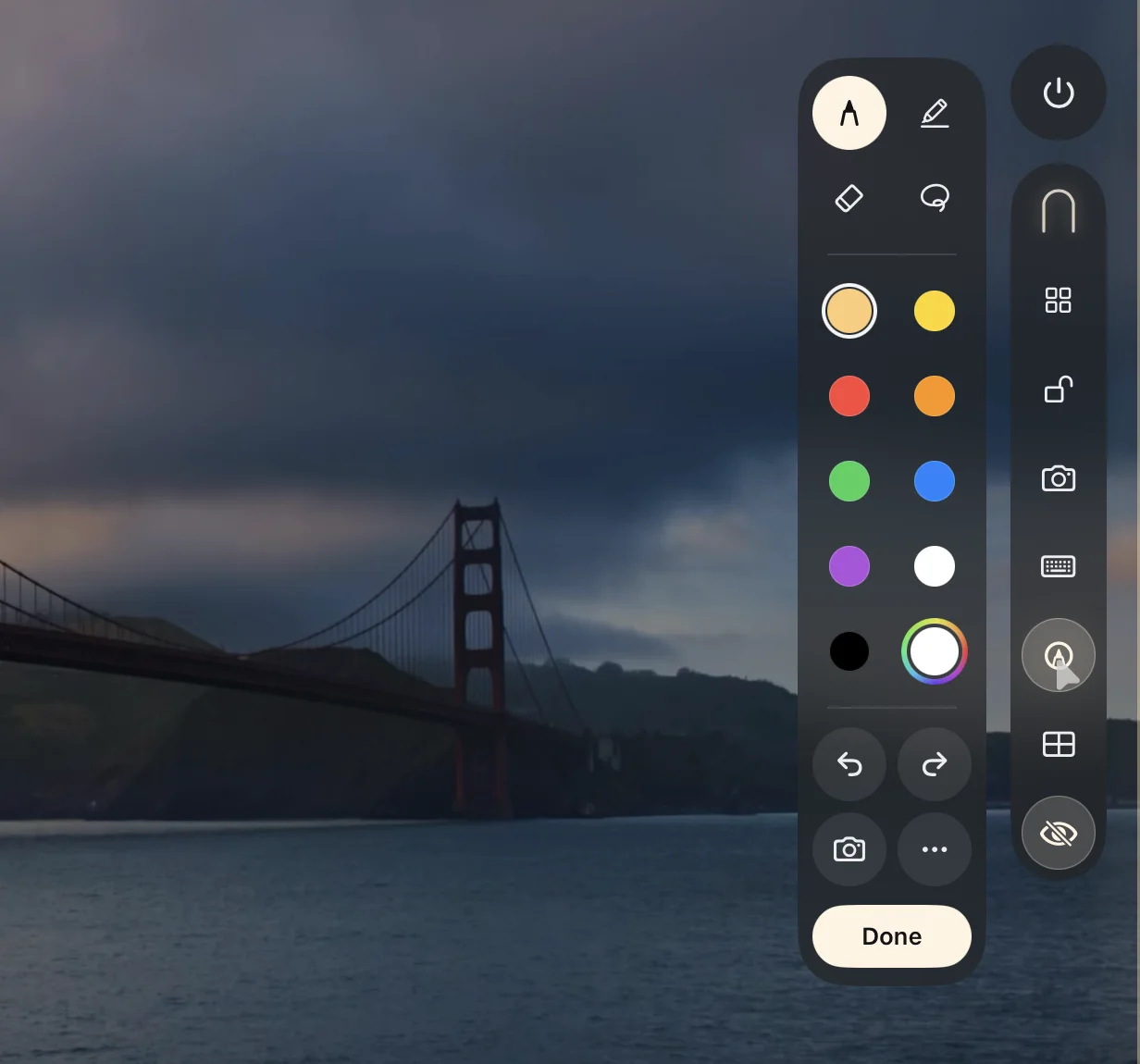
Draw right over your Mac, then save it to Photos or send it to the Mac.
Half-fold it. The top is your Mac and the bottom is a trackpad.
Upright or sideways, your Mac takes your iPhone's exact shape, pixel-perfect, edge to edge. Turn it and your Mac turns with it. Your apps and their shortcuts sit right under your thumb.
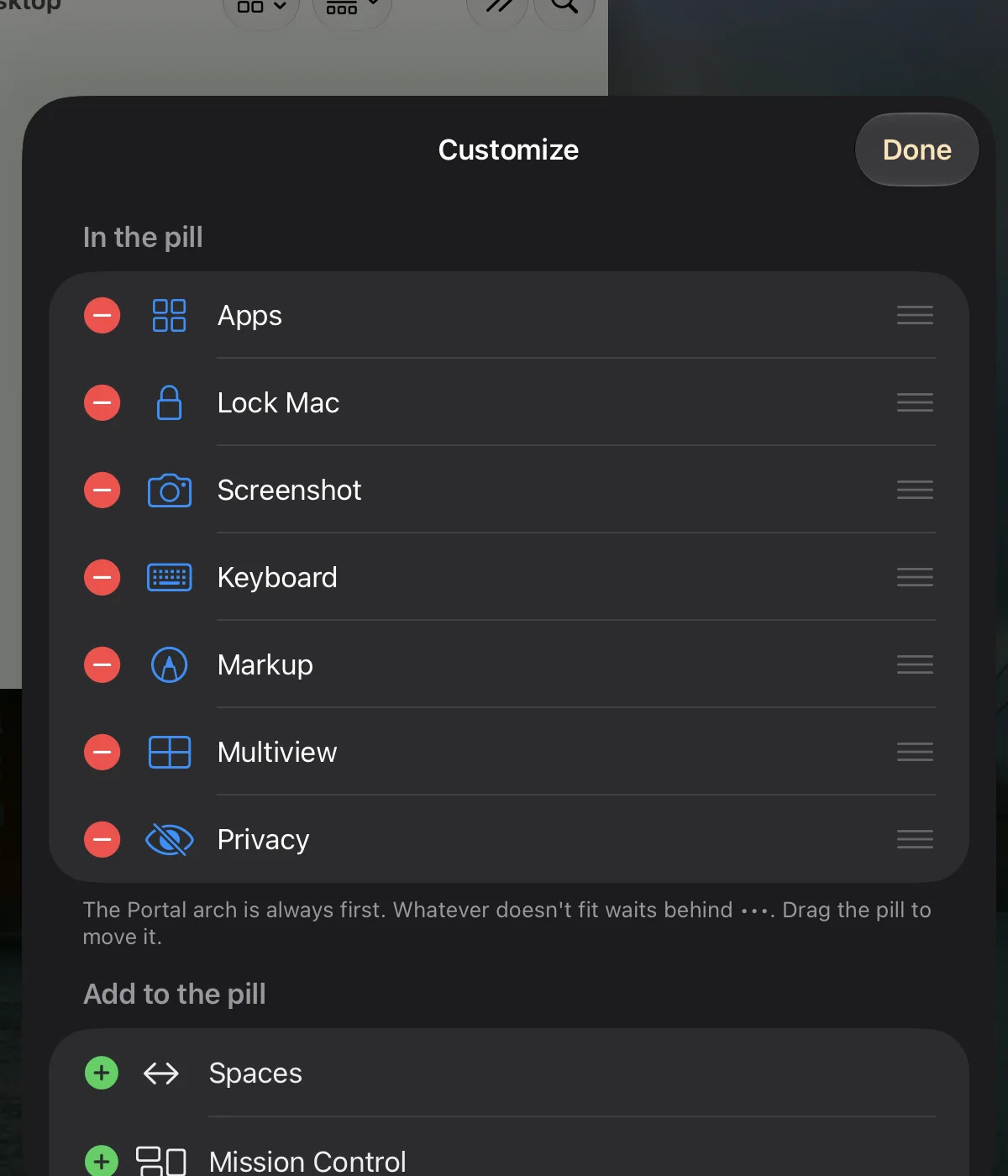
Lock, keyboard, camera, markup and your apps sit in one slim pill at the edge. Tap the Arch and everything else opens in a sheet of glass. Tap again and it's gone.
Open Xcode, Final Cut Pro, Terminal, Safari, Pages, Excel and more from the pill, and their keys pop up where you tapped. Drag a card anywhere, or drop it to the bottom and it docks as a strip.
One tap on the pill locks the Mac. Look at your iPhone or iPad to unlock it again.
Record any shortcut, or pick a Mac app to open, and it becomes a button on the pill. Reorder, hide and resize what's there.
Mac already open on your iPad? Your iPhone says so, and Use Here moves it across in a tap.
Photos, videos and files go from iPad to Mac, or Mac to iPad. A shared clipboard too. No email, no cloud, no cables.
See any of your Mac's displays, laid out just like System Settings. Tap one to switch, live. Or use your iPad as an extra screen.
A glass that follows your pointer. Pinch to zoom up to 6×.
Draw over your Mac's screen, or on a blank page from Portal's home, then save to Photos or drop it on the Mac.
Music, video and alerts play on your iPad, and keep playing when you switch apps.
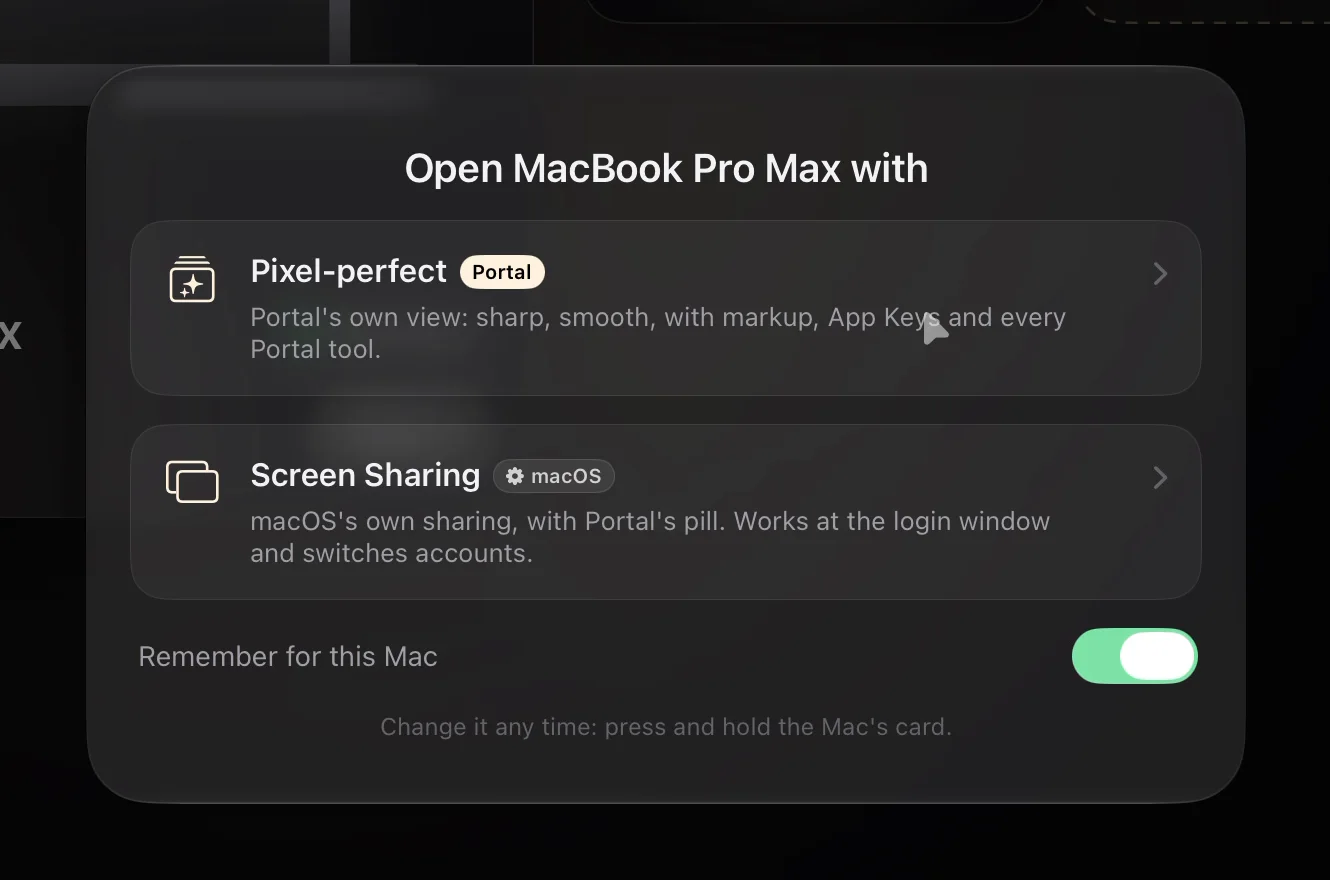
Portal's own view for speed and every tool. Or macOS Screen Sharing when the Mac is at its login window or you want another account. Pick once per Mac, or every time.
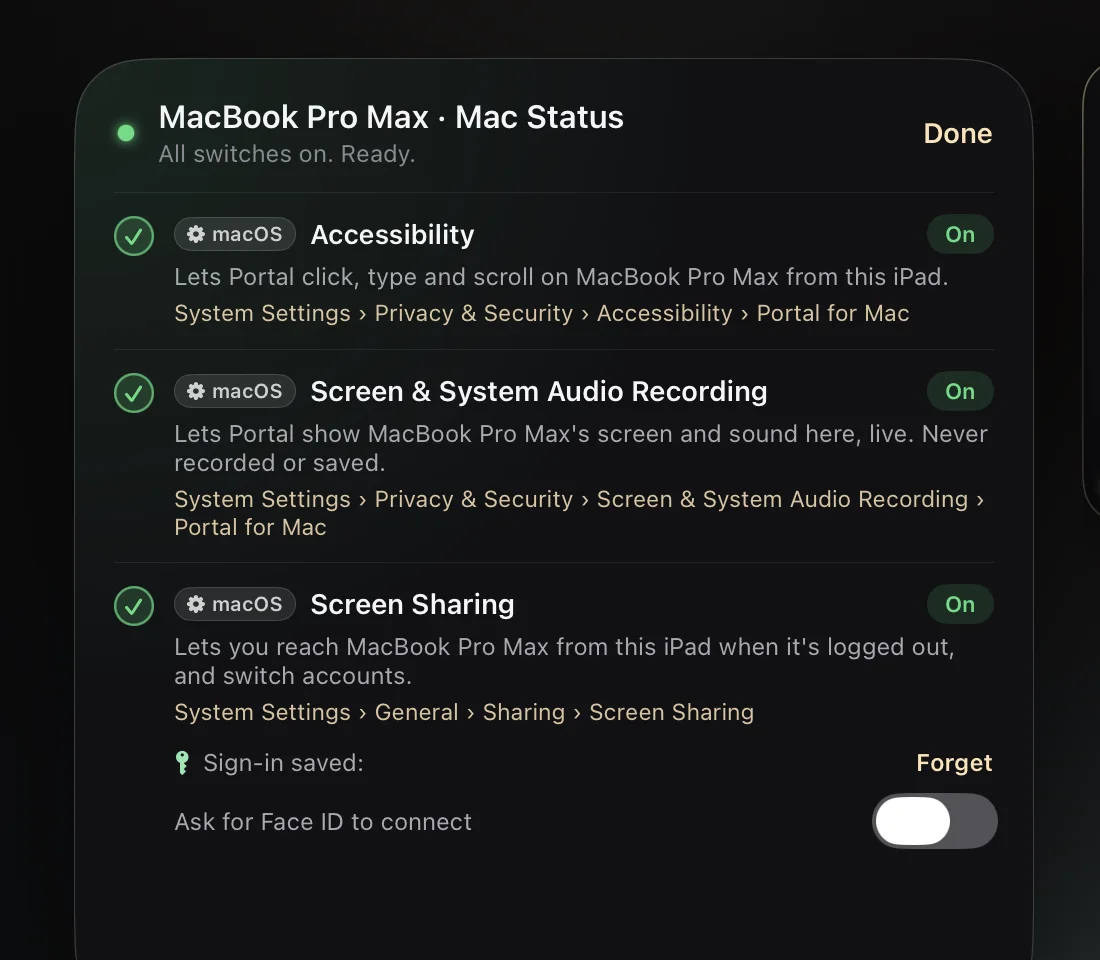
Turn a Mac's card over to see each macOS switch, what it does, where it lives, and a button that takes you straight there.
Final Cut gets J, K, L, a scrub wheel you slide frame by frame, Blade, In, Out, Append and more, docked along the bottom while you edit. Every app with keys can dock.
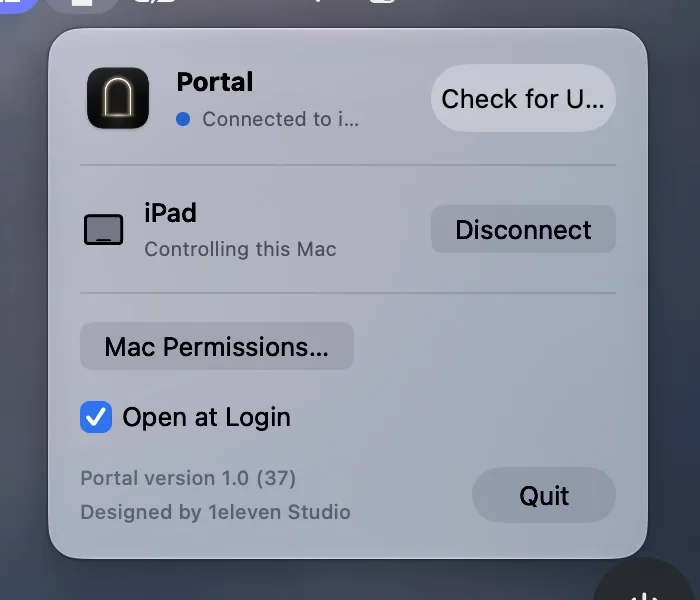
See who's connected, disconnect, check permissions and updates. That's all it needs.
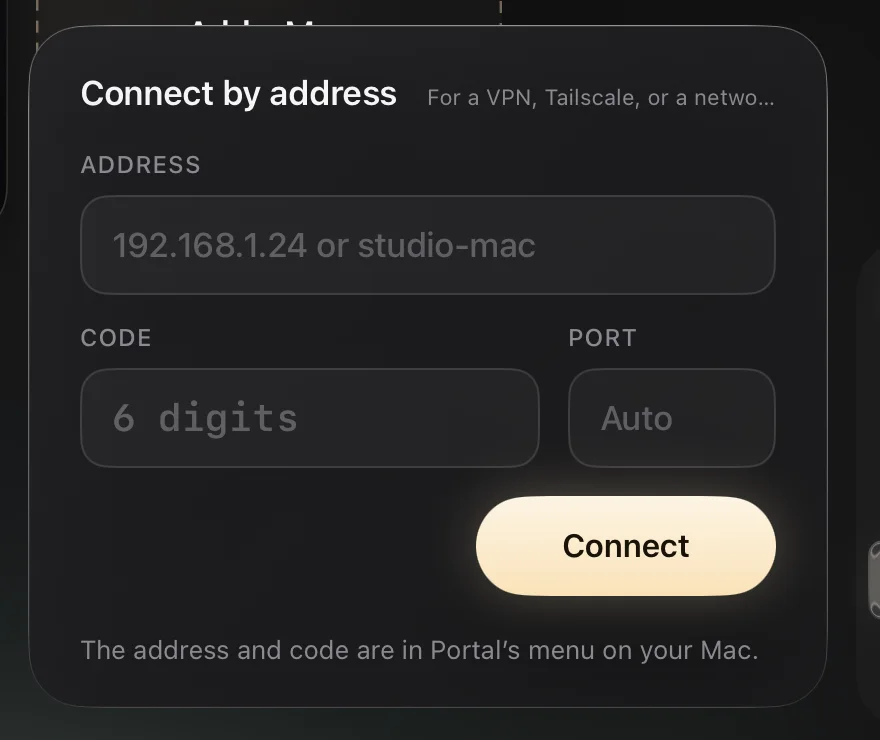
On a VPN, Tailscale or another network? Type the Mac's address and code, both shown in Portal's menu on the Mac.
Pick the Macs you want, see them side by side, and tap a tile to take control.
Magic Keyboard and trackpad with real momentum scrolling and right-click. Three-finger swipes for desktops and Mission Control. Apple Pencil as a pressure-sensitive pen. The keyboard appears when you tap a text field.
A sleeping Mac stays on your list. One tap wakes it and opens it.
Up to 120 Hz on ProMotion iPads, with live readings so you always know how it's running.
Portal for Mac updates itself and tells you when it's done. Your battery in the panel, since Portal fills the screen. In Second screen, your iPad's trackpad moves the pointer across both screens. Split View and Stage Manager on iPad. Connect by address over a VPN when you're away.
Everything stays between your device and your Mac. No accounts. No cloud. No tracking. Portal collects nothing.
Encrypted, on your networkYour screen never passes through anyone else's servers.
Unlock with a glanceOptional Face ID unlock keeps your Mac password only in your device's Keychain.
Privacy screenYour Mac's own display shows Portal's arch while you work, ignores its own keyboard and trackpad, and stays covered when you turn or fold your device.
Your iPad or iPhone does the work. No code to type, no account to make. This is the real thing, start to finish.
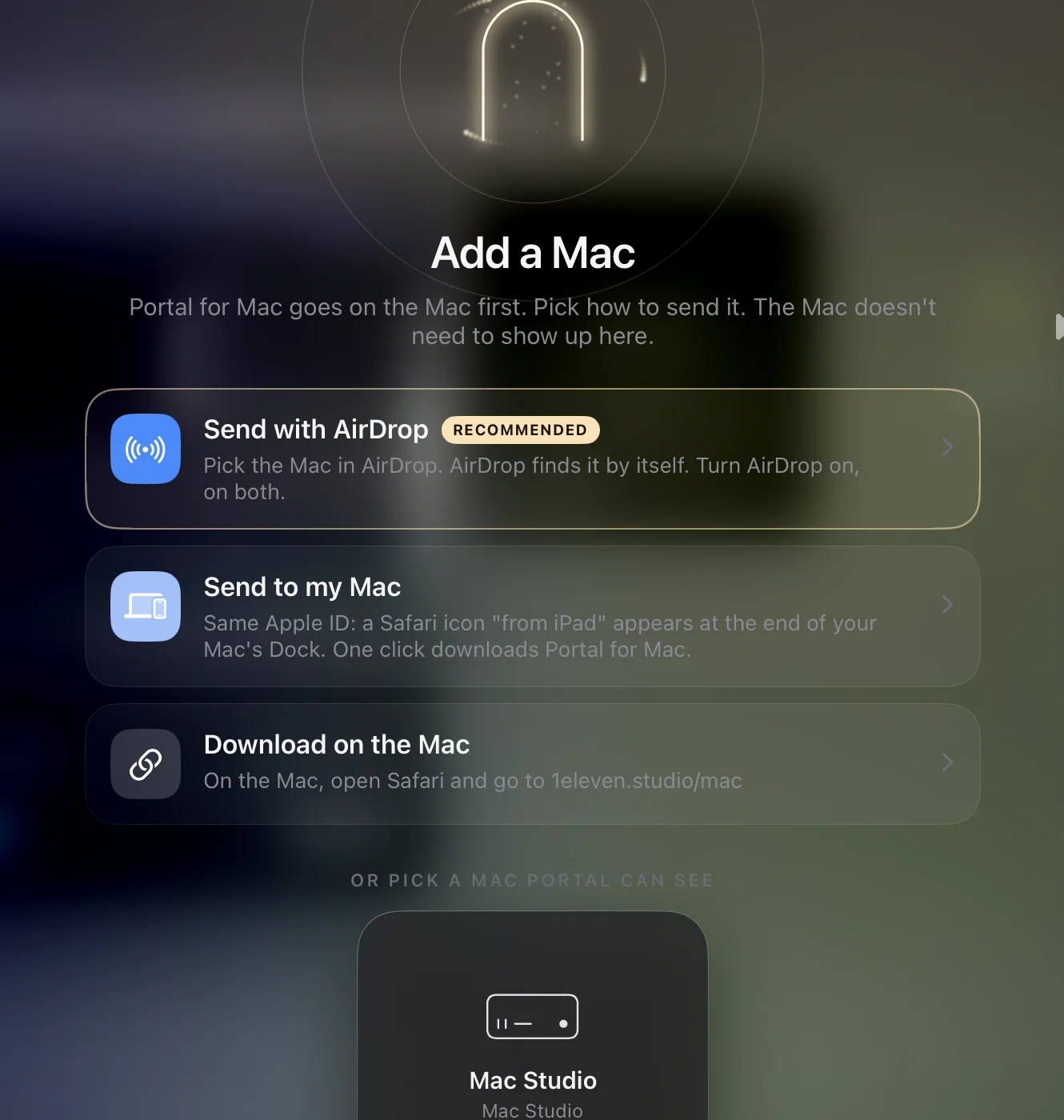
AirDrop Portal for Mac across, send it with Handoff, or download it on the Mac. Even a Mac Portal can't see yet.
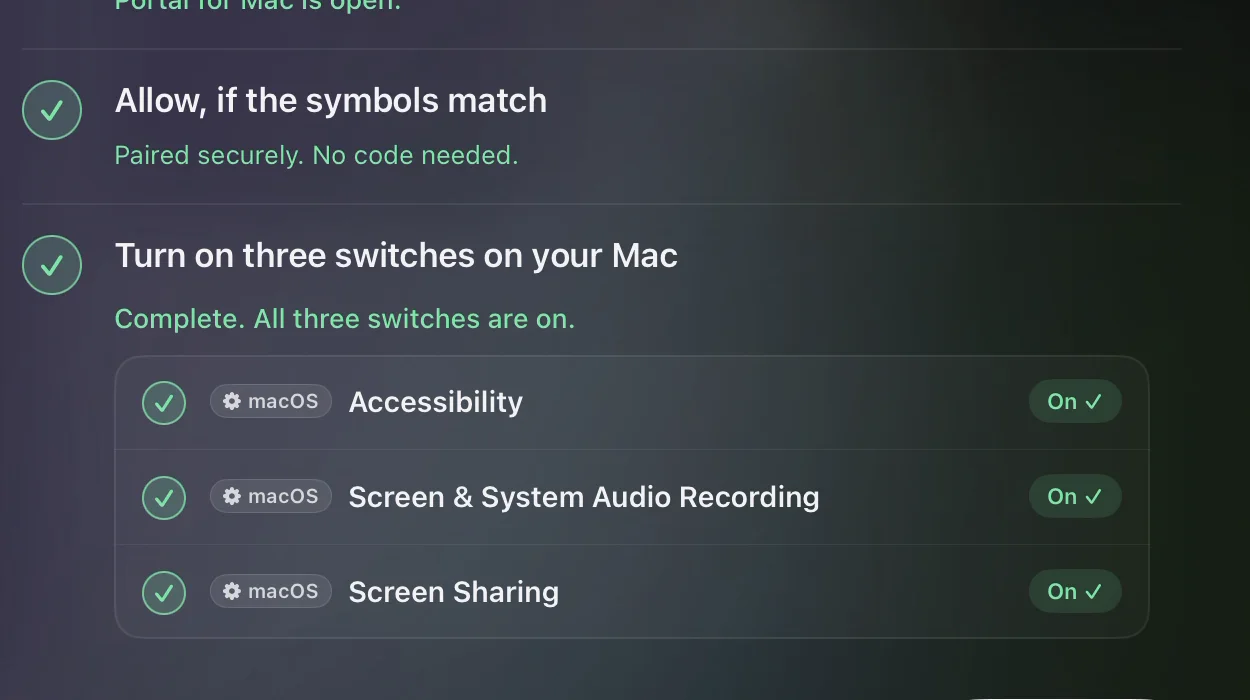
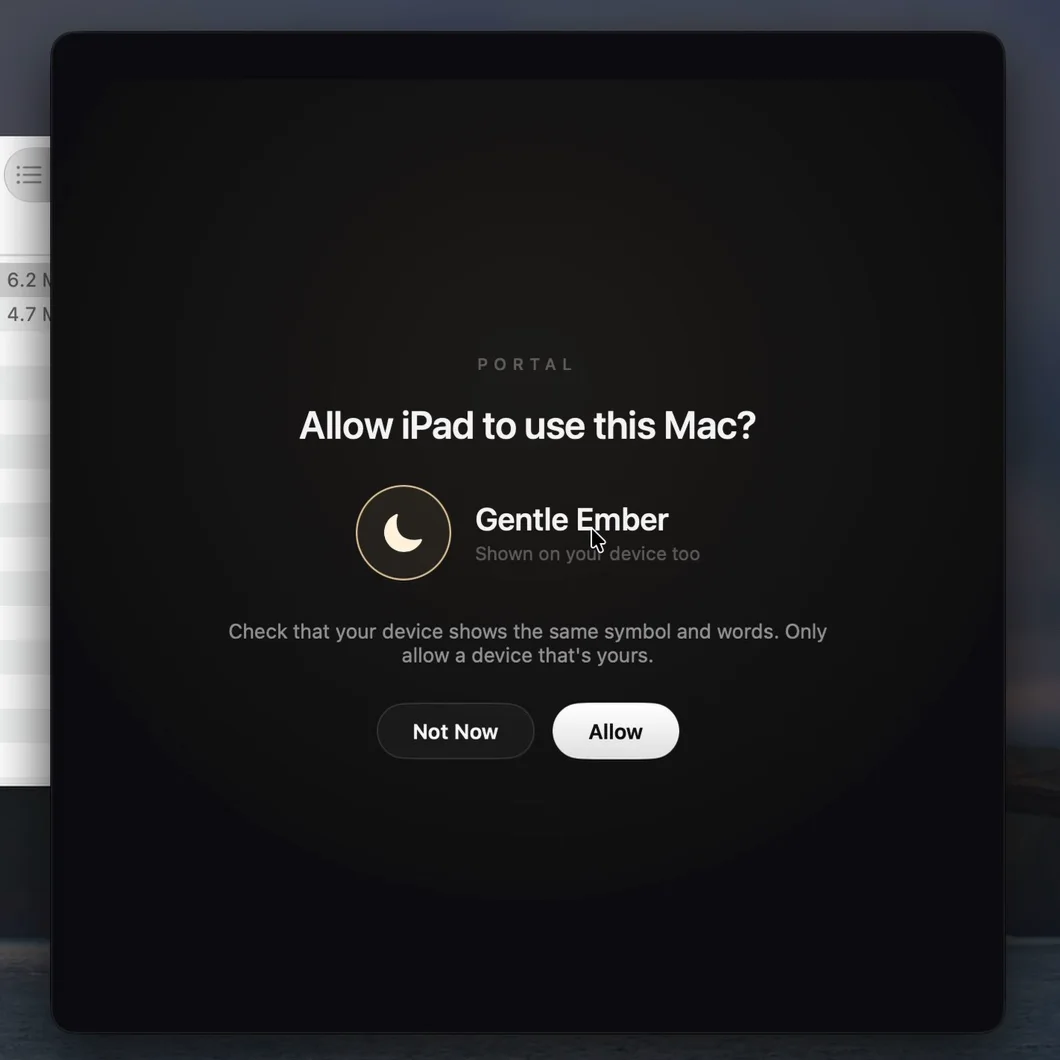
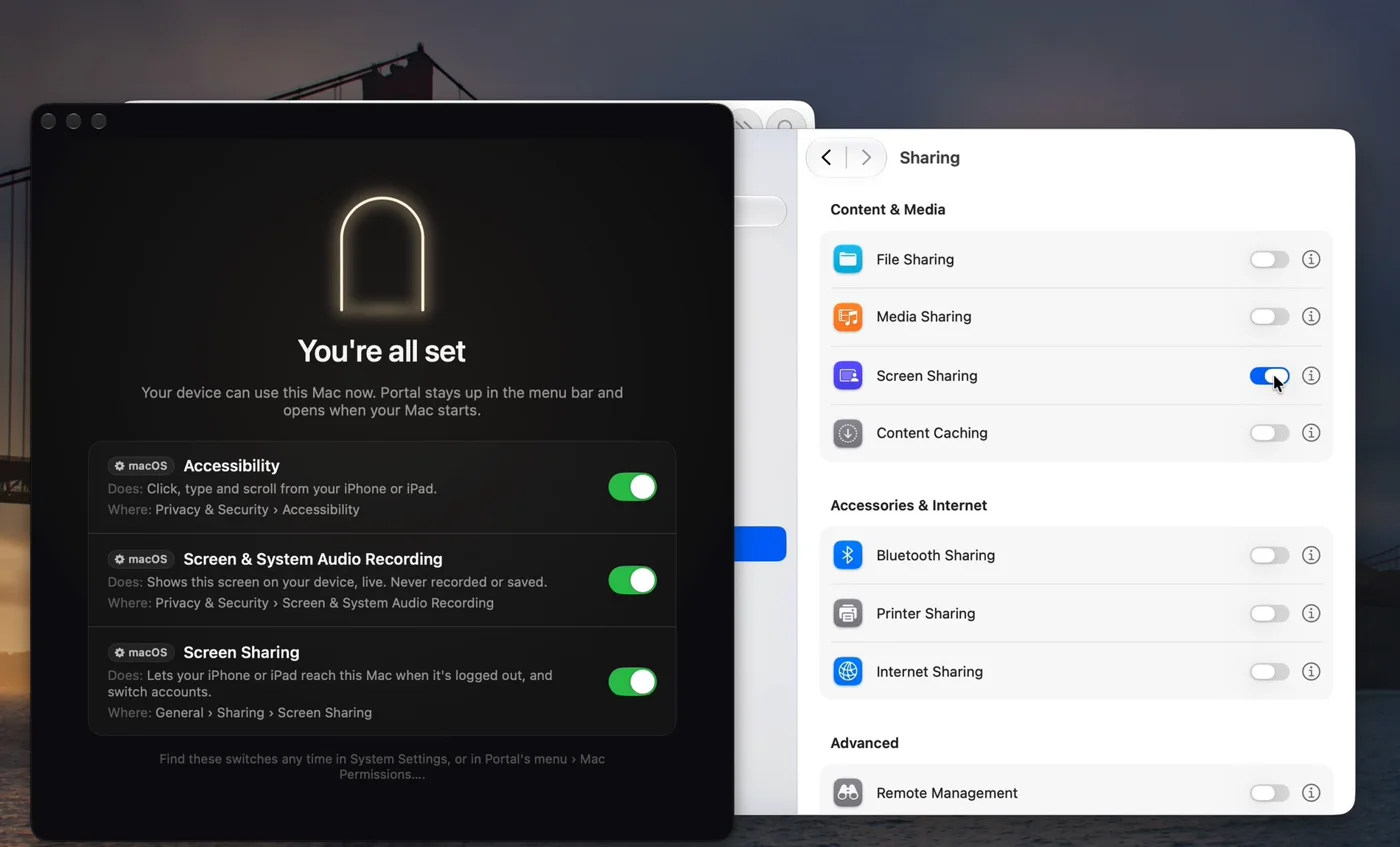
Double-click Portal on the Mac. It moves itself into Applications. Click Allow when the symbols match.
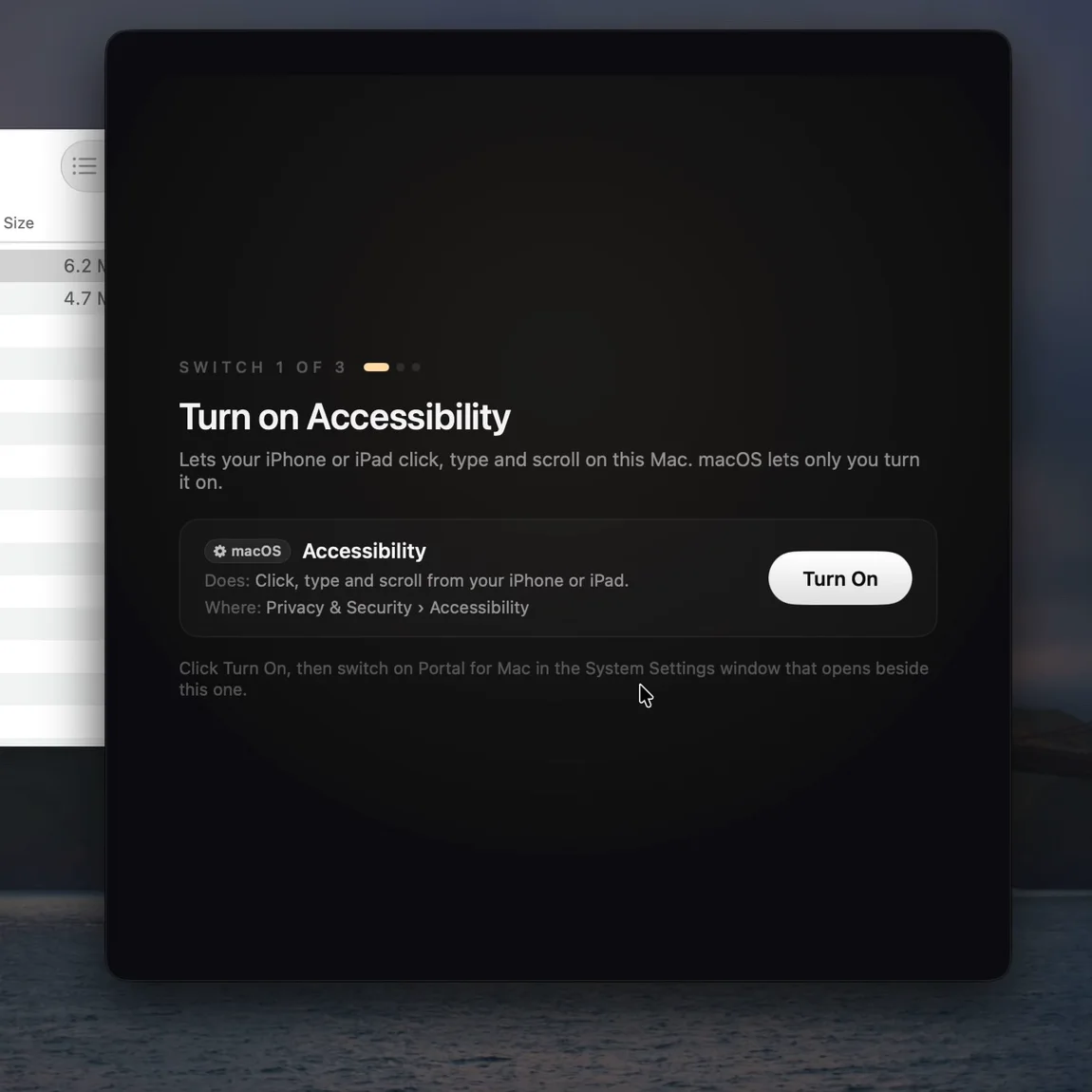
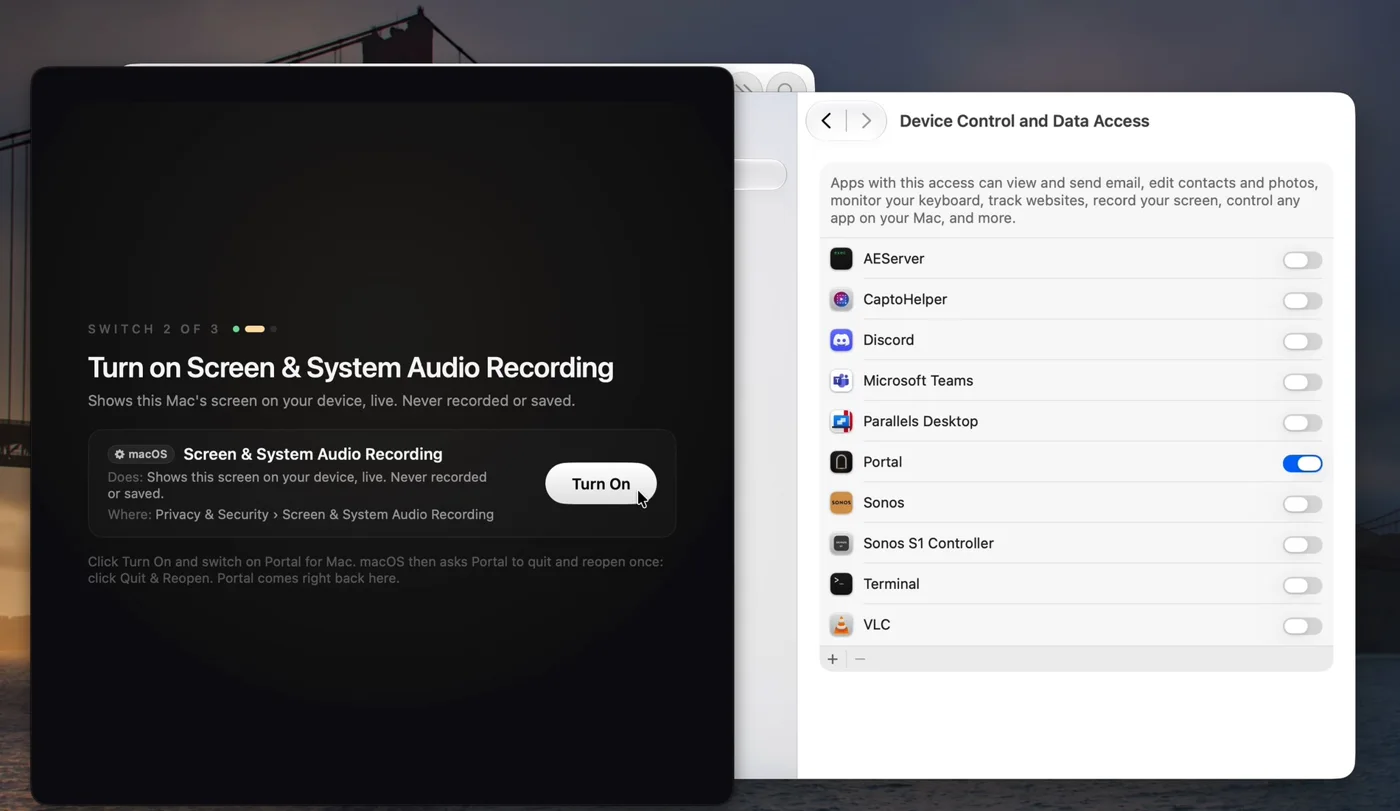
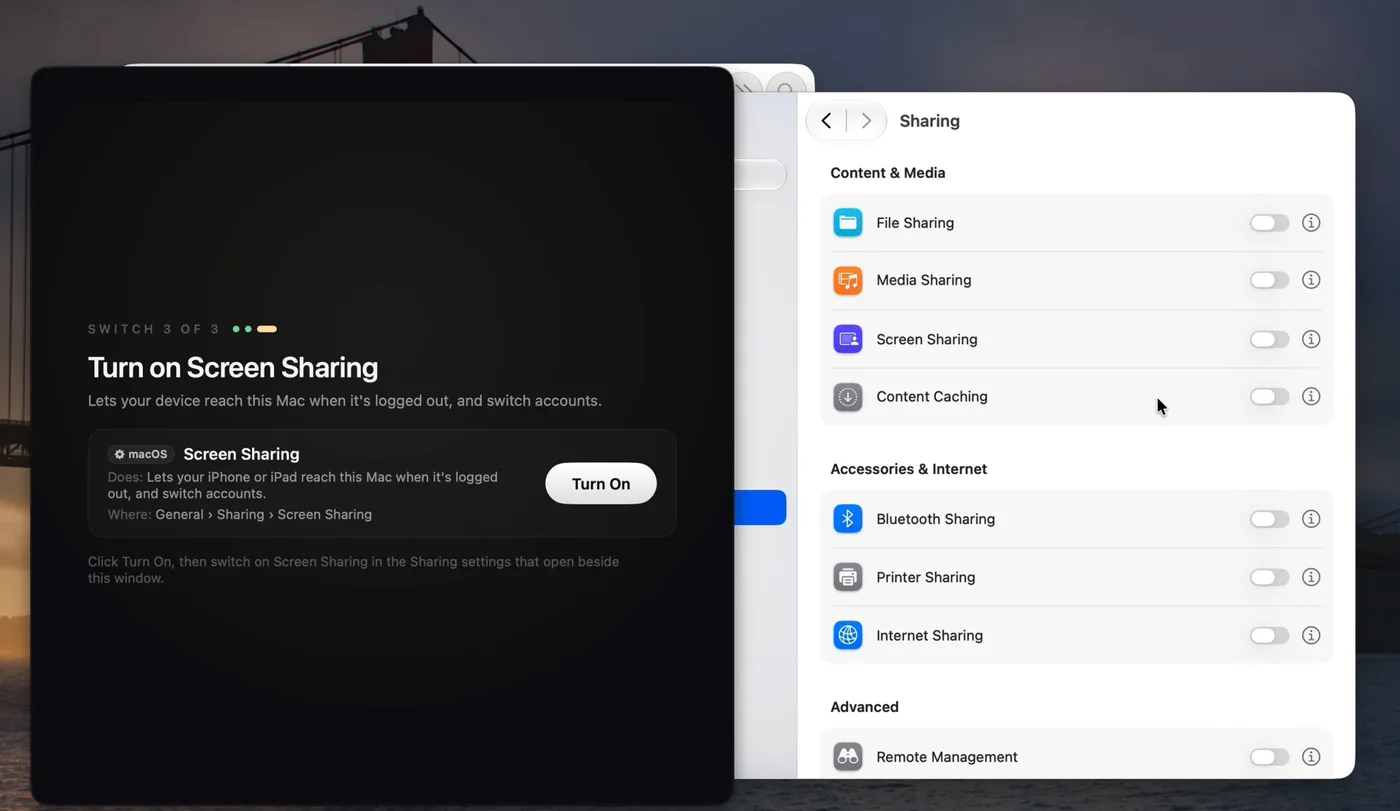
Accessibility, Screen & System Audio Recording, Screen Sharing and Allow in the Background. Portal shows each one, one at a time, and ticks it off when it's on.
Portal opens to Studio: each Mac's own live picture, whether it's awake, its battery, storage and connection, and what's running right now. Tap a recent document and Portal opens it on your Mac and takes you there.
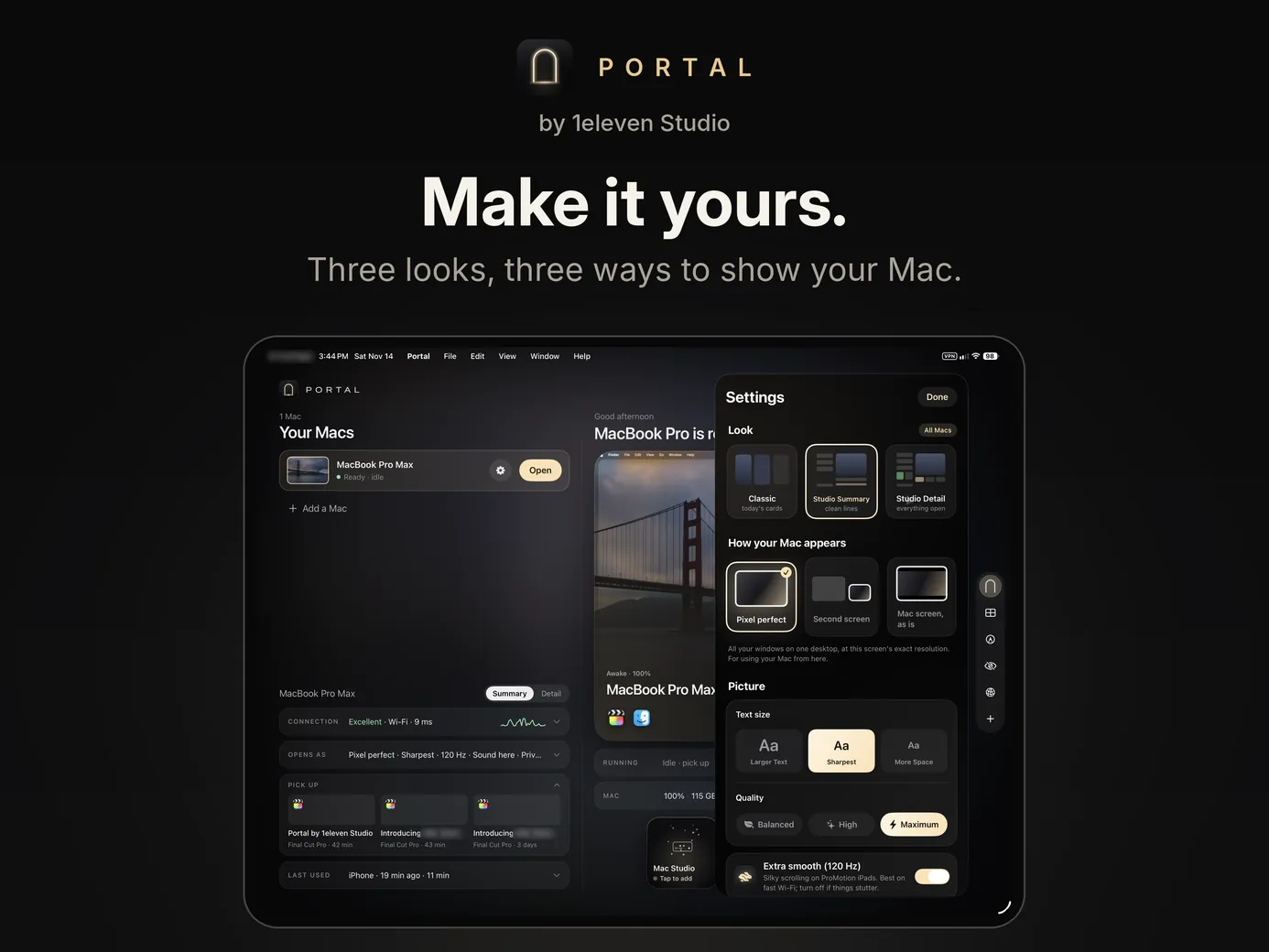
Tap the gear on a Mac's card and set that Mac up the way you want it, in four tabs.
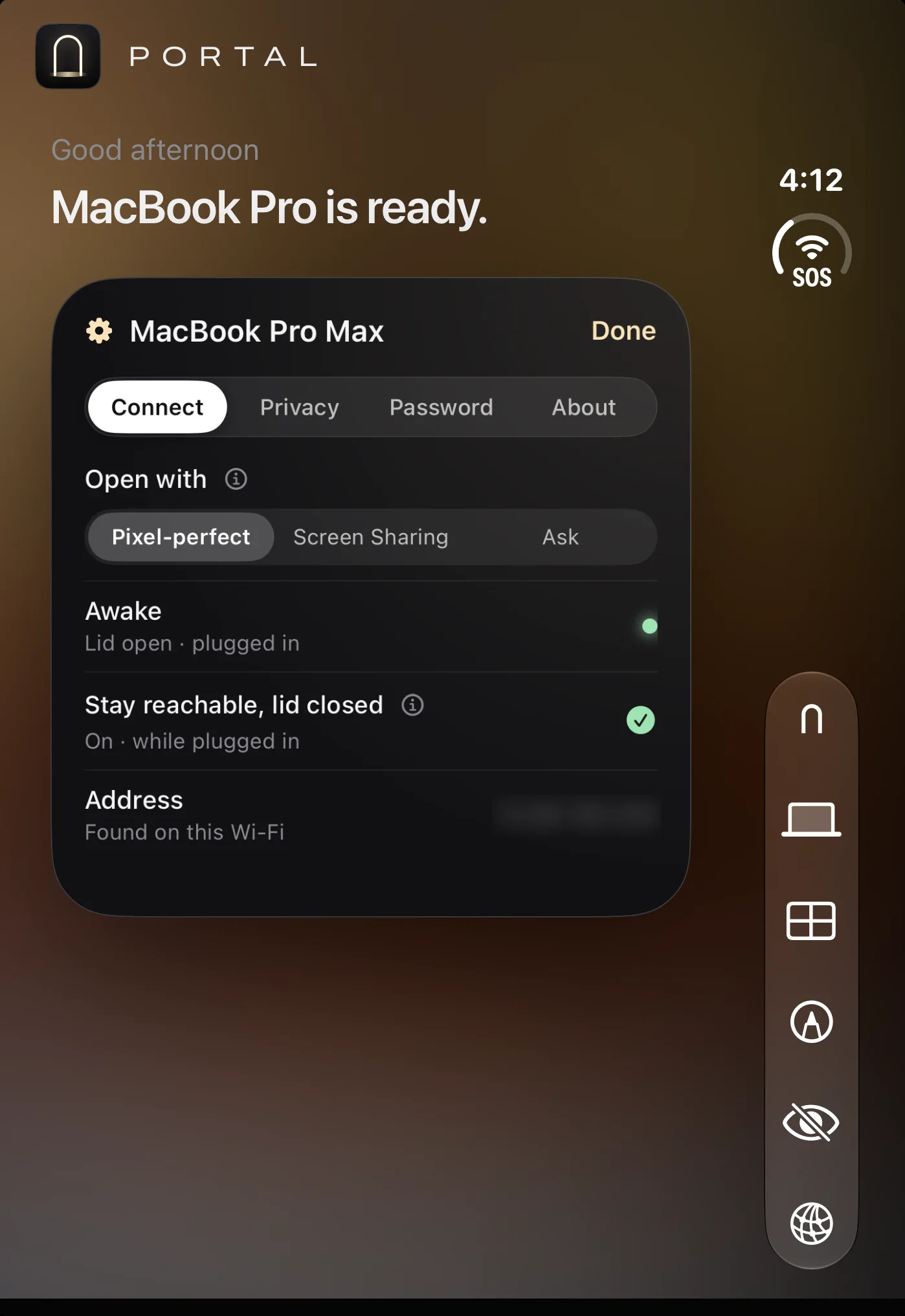 ConnectChoose how this Mac opens, see if it's awake, and keep it reachable with the lid closed while it's plugged in.
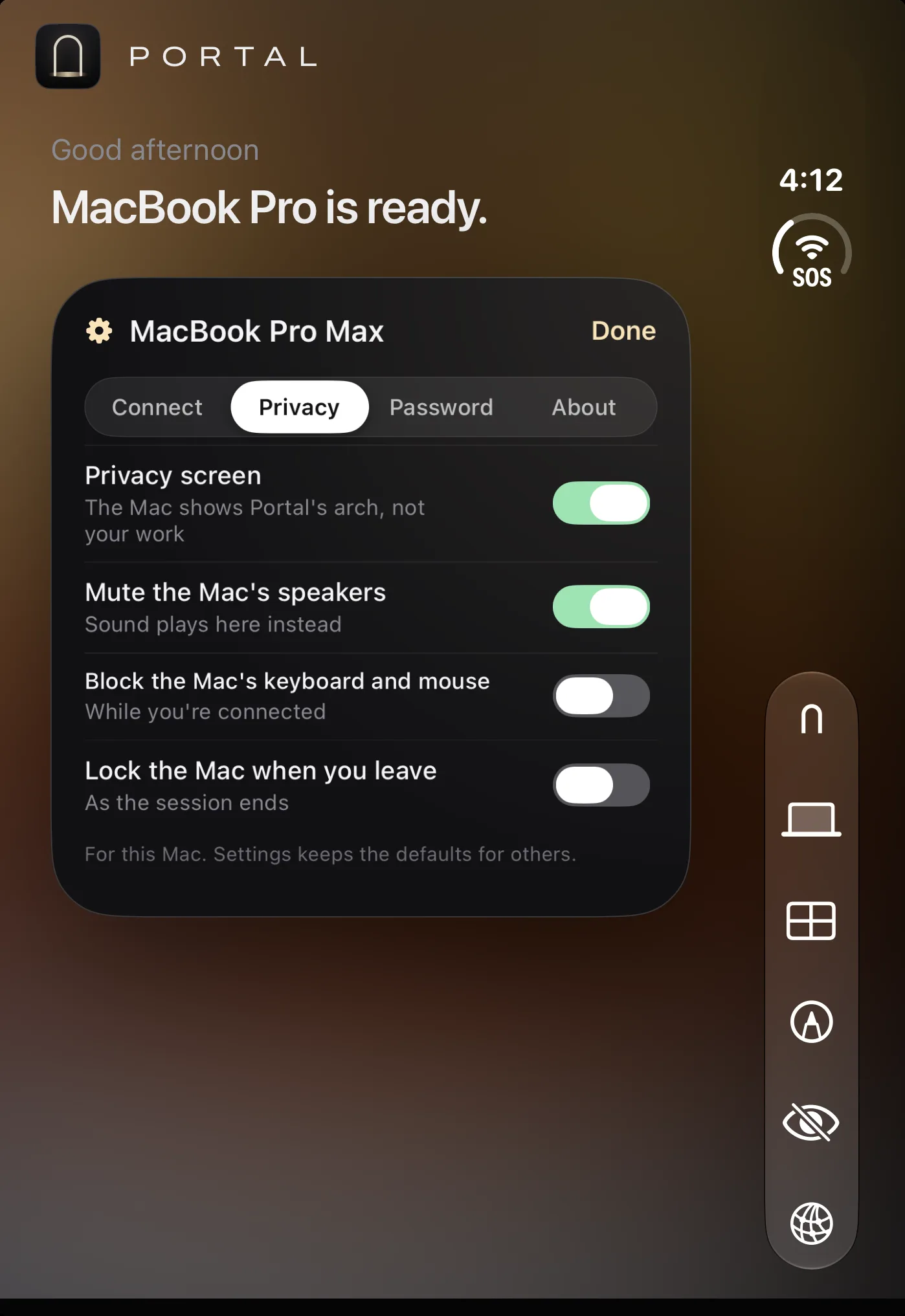 PrivacyShow Portal's arch instead of your work, mute the Mac's speakers, block its keyboard and mouse, and lock it when you leave.
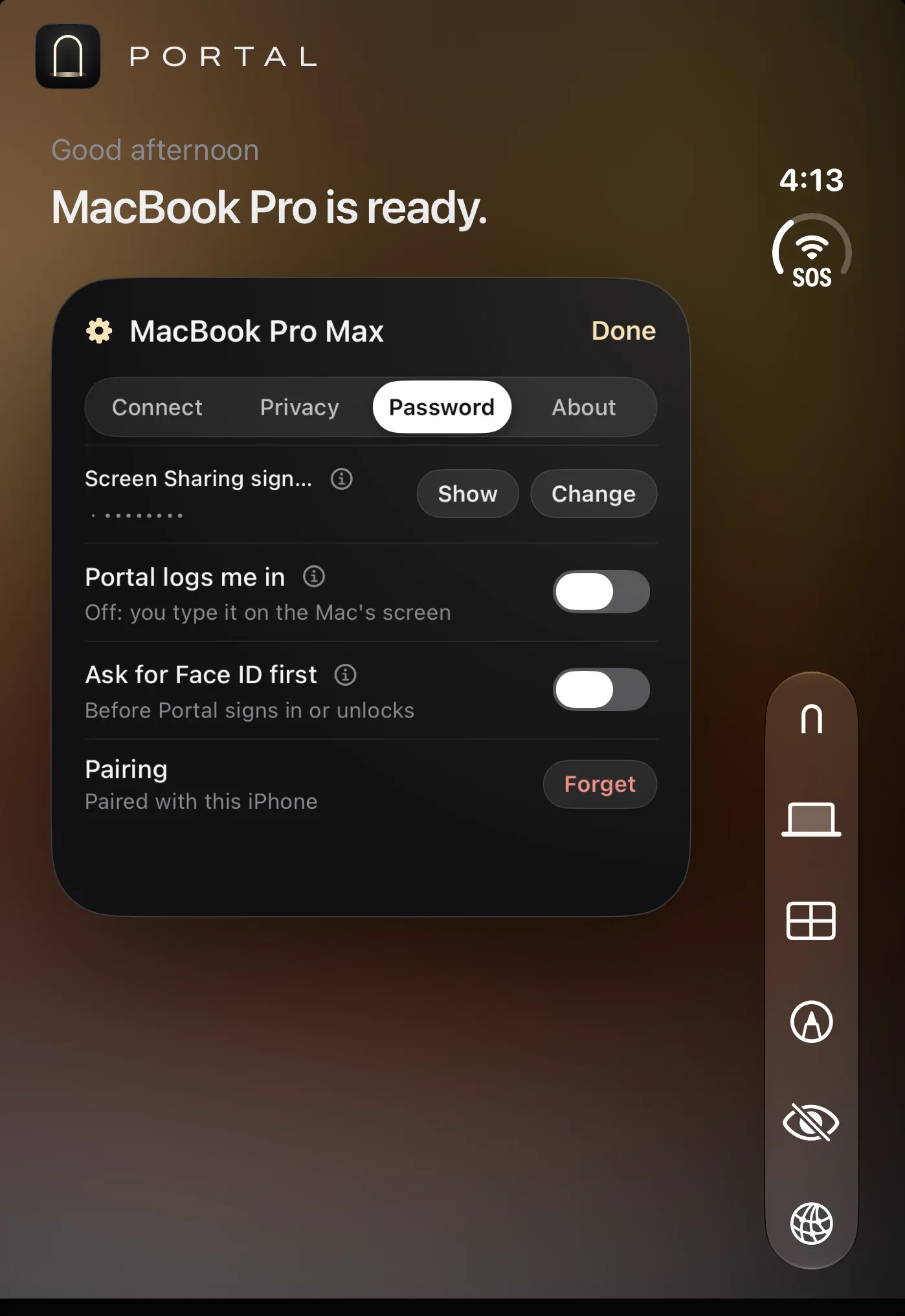 PasswordShow or change the Screen Sharing sign-in, let Portal log you in, ask for Face ID first, or forget the pairing.
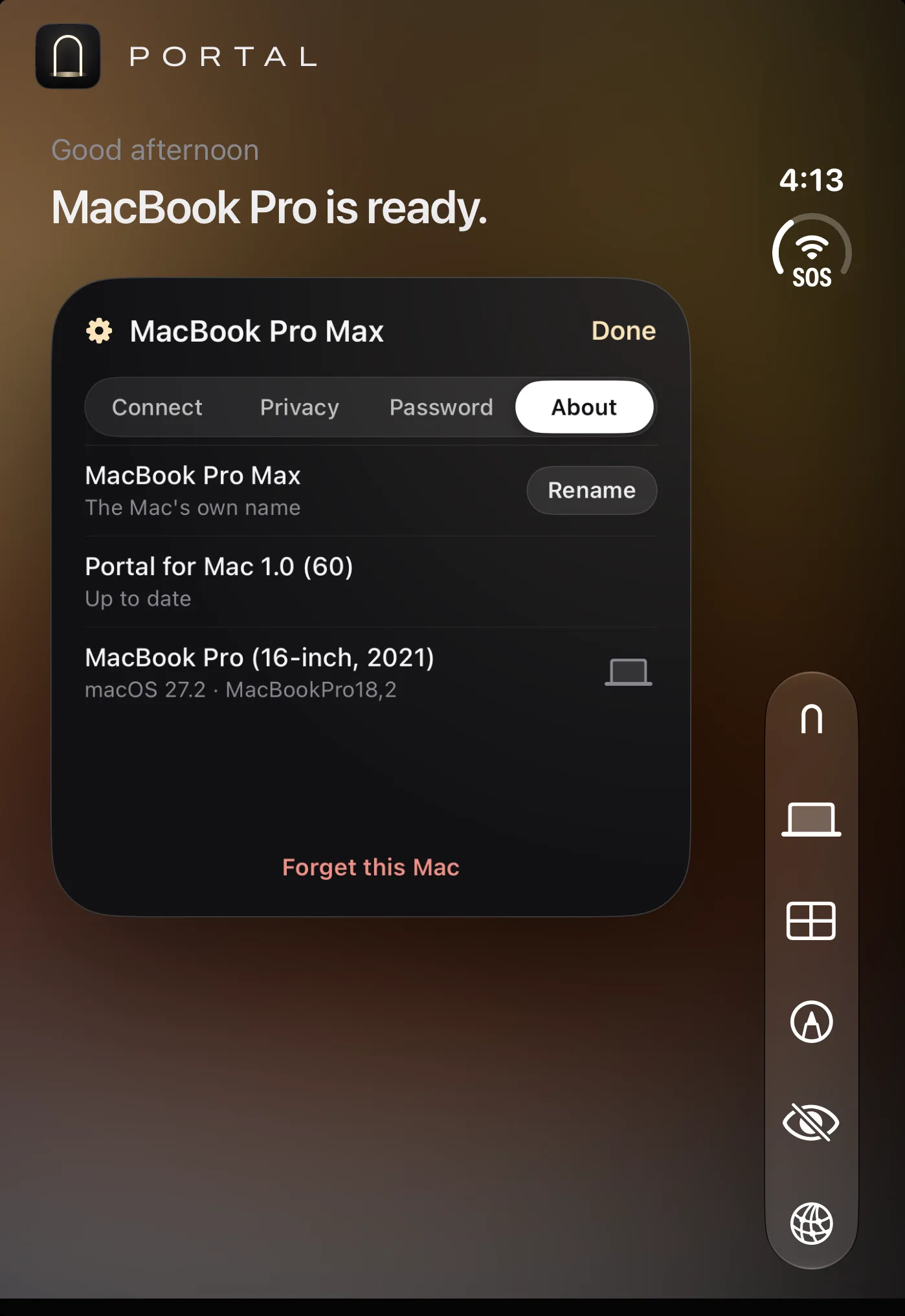 AboutRename the Mac, check that Portal for Mac is up to date, see its model and macOS, or forget it.
Real screenshots from Portal on iPhone, iPhone Duo and iPad.
Portal for Mac comes straight from 1eleven.studio rather than the Mac App Store, because it creates a screen sized for your device and lets it control the pointer and keyboard. Every version is signed by us and checked by Apple.